Resin vs Filament 3D Printing
for Miniatures
The real differences between FDM and MSLA for printing detailed miniatures: which technology to choose, why, and which resin we use at MMS.
What is the difference between resin and filament 3D printing?
FDM printing (filament) lays down melted plastic layer by layer through a nozzle. It is cheap and fast for large parts, but the layers are visible to the naked eye, and fine detail, like the folds of a cloth or the expression of a face, gets softened or lost altogether. For 32 mm miniatures, resin gives a level of detail FDM can't reach; for large figures, busts or terrain, FDM is a very valid option.
MSLA printing (photocured resin, the type we use at MMS) works in a completely different way: a UV screen hardens liquid resin layer by layer at a resolution of 0.019 mm in XY. At that scale, the human eye can't see the layers. The result is an almost perfect surface, suitable for display or collector level.
When to use each technology?
Filament makes sense for functional objects, large prototypes, or parts that will take physical impact: a phone case, a bracket, a mechanical component. The material is cheap and the printers are easier to maintain.
Resin is the only valid option for detailed miniatures, collectible figures, custom sculptures, heritage replicas, or anything that will be looked at up close. The process requires washing and UV curing, and ventilating the workspace is a must. But the result is in a different league.
Resolution: the numbers that matter
A mid-range FDM printer works with 0.2 mm layers. An MSLA printer like the Anycubic Photon 12K works with 0.05 mm layers, and in XY its pixels measure 0.019 mm. A human hair is roughly 0.07 mm thick. The printer resolves details finer than a hair.
Which resin do you use at MMS?
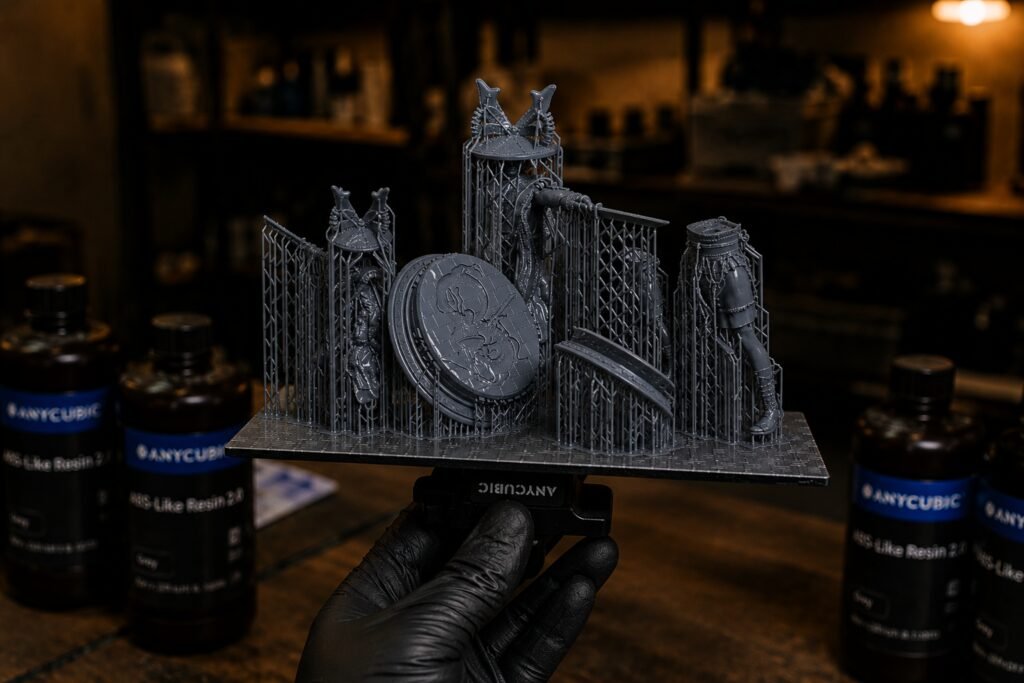
We use premium ABS-like resin on every production. It is more impact-resistant than standard resin, less brittle on thin parts (swords, spears, feathers) and behaves better when painting. We don't use low-cost resins on client pieces: the savings don't justify the risk of brittleness. If you want to go deeper into resin types, we have a complete guide to resins for miniatures.
Can I bring my own STL file to print in resin?
Yes. If you have an STL file designed for resin, we print it. If the file is optimized for FDM or has no supports, we check whether it needs adapting before printing. You can see our 3D printing service for more detail.
Safety gear for working with resin at home
If you have your own resin printer, these supplies are essential. Uncured resin is an irritant and its fumes call for protection:
Frequently asked questions
Are resin parts fragile?
With ABS-like resin, strength is comparable to many household plastics. Very thin parts can break under a direct hit, as with any material. For collectible and display pieces, which won't take impact, durability is excellent.
How long does it take to print a miniature in resin?
A 32mm presupported miniature takes 2 to 4 hours to print. A 75mm figure can take 5-8 hours. On top of that come washing (30 min) and UV curing (30-60 min). The total production time also includes the studio's job queue.
Is resin printing better than silicone molding?
They are different processes. Silicone molding is ideal for large runs of the same piece. Resin 3D printing is ideal for short runs, one-off pieces, prototypes and customizations. For collections with variants and constant updates, 3D printing is clearly more flexible.