ZBrush vs Blender for 3D Modeling
of Miniatures
What we use at MMS for each part of the process, and which one to learn first if you're starting from scratch.
ZBrush, Blender or both: the question everyone asks when they start
There is no single answer. A professional miniatures studio uses both, for different things. Here we explain exactly what we do with each one at MMS and why.
ZBrush: high-definition organic sculpting
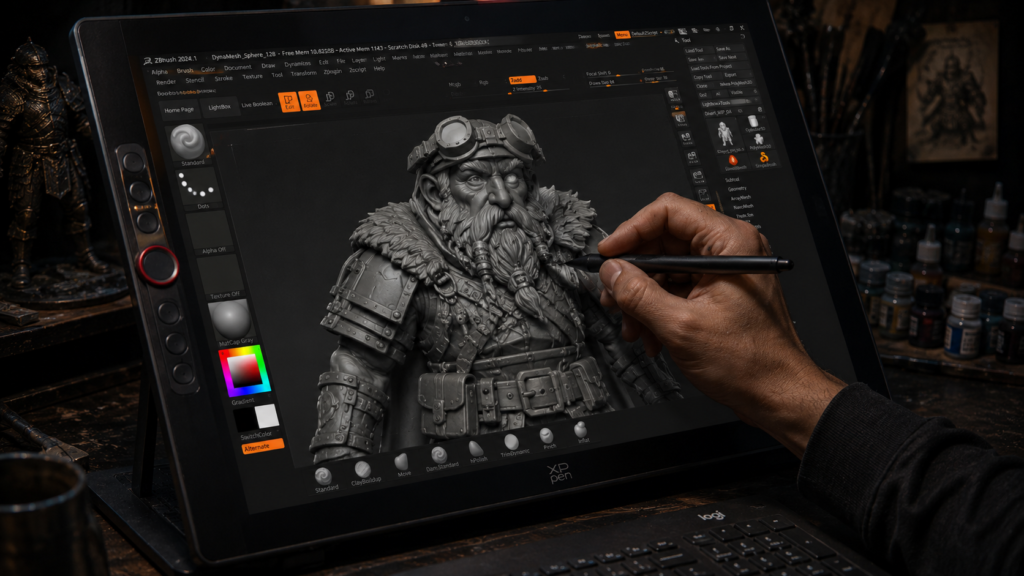
ZBrush is the industry standard for digital character sculpting. Its workflow is based on dynamic polygons (DynaMesh, ZRemesher) and sculpting brushes that behave very much like real clay: you can add volume, subtract, smooth, pinch, flatten.
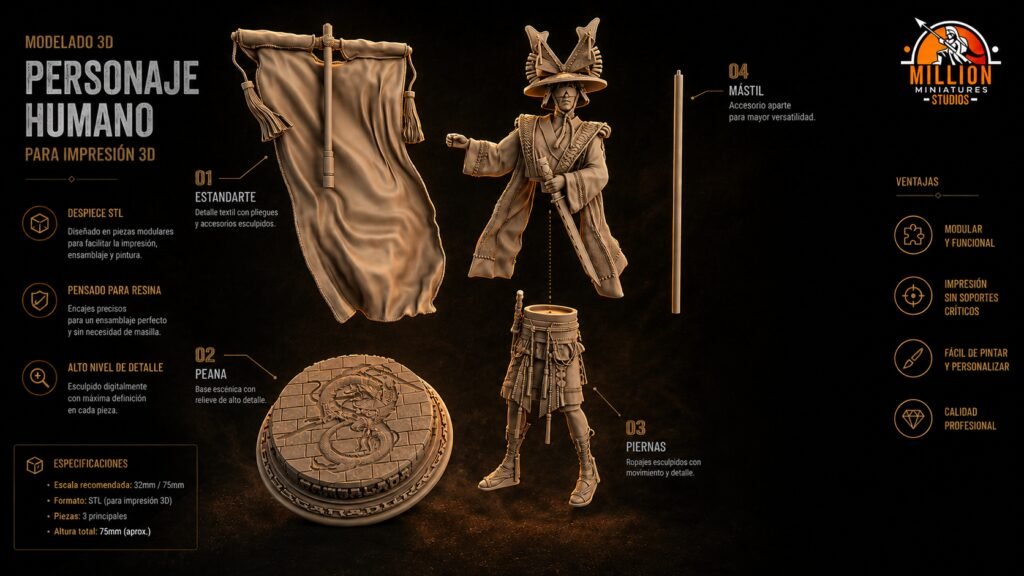
Everything organic in our miniatures (bodies, faces, cloth folds, hair textures) is made in ZBrush. At miniature scales (32mm, 75mm, 120mm) the level of detail required is enormous, and ZBrush lets you work with millions of polygons without the computer freezing.
Blender: hard surface, rigs and export
Blender is free and open source, and in recent years it has reached a technical level comparable to paid software for many tasks. At MMS we use it mainly for three things:
First, hard surface elements: mechanical parts, weapons, armor with straight edges. A sword, a belt with a metal buckle, a rifle or a flat piece of armor is better modeled in Blender than in ZBrush.
Second, file preparation before slicing. Blender has mesh repair tools (the 3D Print Toolbox extension) that detect holes, flipped normals and non-manifold edges that would cause problems in the slicer.
Third, presentation renders. The cover images of the MMS collections are rendered in Blender (Cycles), not in ZBrush.
The real workflow
For a new character: block out the proportions in ZBrush, full detail in ZBrush, export to Blender for hard surface, retopology or decimation to export the final STL, back to Blender for renders. For military vehicles (BMR 600, VEC T25) the flow is the other way around: Blender for all the main geometry, ZBrush only for surface details (dents, rust, wear).
Which one should you learn first?
If your goal is to model miniatures and you have no background in either: start with Blender. It's free, it has a huge community and the available tutorials cover everything from zero to advanced level. Once you master basic polygonal modeling, the transition to ZBrush for organic sculpting is much smoother.
Learn the software you choose
A complete workflow for modeling a humanoid creature from concept art. The instructor, Manu Herrador, is a 3D artist specializing in characters and video games, and the course mentions miniature modeling. Requires intermediate ZBrush knowledge.
A complete Domestika Basics course: interface, organic modeling, Hard Surface, ZModeler, UV Maps and rendering. The most solid starting point if you've never used ZBrush. No previous knowledge needed.
A 7-course Domestika Basics: interface, objects, sculpting, animation, physics simulation, rendering with Cycles and Eevee, and final compositing. One of the most complete Blender trainings available in Spanish.
Affiliate links to Domestika. No extra cost to you.
Frequently asked questions
Can you make a complete miniature using only Blender?
Yes. There are excellent modelers who do everything in Blender, including organic sculpting with its sculpt mode. The difference with ZBrush in surface detail level shows up mainly on models with many millions of polygons.
Do I need the full ZBrush for miniatures, or is a limited version enough?
ZBrush Core, the cut-down edition, stopped being sold on May 30, 2025, so today the desktop option is a subscription to the full ZBrush, which includes ZBrush for iPad. The price changes, so check Maxon's official pricing (November 2026). A budget alternative: Nomad Sculpt for iPad (about €23 on the Spanish App Store, one-time payment, November 2026), which lets you sculpt organic shapes at small scales too.
How much does a ZBrush license cost?
ZBrush is sold by subscription and its price changes, so check Maxon's official pricing (November 2026). It has a free 14-day trial, but no full free version. ZBrush Core Mini, the limited free edition, has not been available for download since May 30, 2025. Blender is completely free and open source, and it's the real alternative for anyone who doesn't want to pay for a ZBrush subscription.
Which is easier to learn, Blender or ZBrush?
Blender has a gentler learning curve at first because polygonal modeling is more intuitive than dynamic sculpting. ZBrush has its own interface logic that is disorienting at first but very efficient once learned. If you have no background in either: start with Blender, master basic polygonal modeling, and then the transition to ZBrush for organic sculpting is smoother.
What is used to model miniatures, ZBrush or Blender?
A professional studio uses both, for different things. At MMS, everything organic (bodies, faces, cloth folds, hair textures) is made in ZBrush. Blender is used for hard surface elements (swords, belts with buckles, rifles, flat armor), to prepare files before slicing and for presentation renders. For military vehicles the flow is the other way around: Blender for the main geometry and ZBrush only for surface details.