A guide for non-technical people
What is 3D modeling (explained without jargon)
If you got here searching for "what is 3D modeling", chances are you've already run into a confusing mix of terms: 3D design, digital sculpting, CAD, rendering, 3D printing... and you're not quite sure where one ends and another begins. You're not alone. It's one of the most searched concepts online and, at the same time, one of the worst explained outside technical circles.
In this article we'll clear it up once and for all, without unnecessary jargon: what exactly 3D modeling is, how it differs from the concepts it's constantly confused with (graphic design, animation, 3D scanning, 3D printing, CAD), which programs are used depending on what you want to create, and what the real process of turning an idea into a three-dimensional object looks like.
You don't need to know how to draw, have a technical degree or have touched any software before. Just curiosity about how almost any digital object you see in video games, movies, engineering parts or collectible figures is built, layer by layer and polygon by polygon.
The big fork in the road: organic modeling vs CAD modeling
Almost everything grouped under the umbrella of "3D modeling" actually splits into two disciplines with completely different logic, tools and audiences. Understanding them is the key to no longer feeling lost among program names.
The digital equivalent of clay
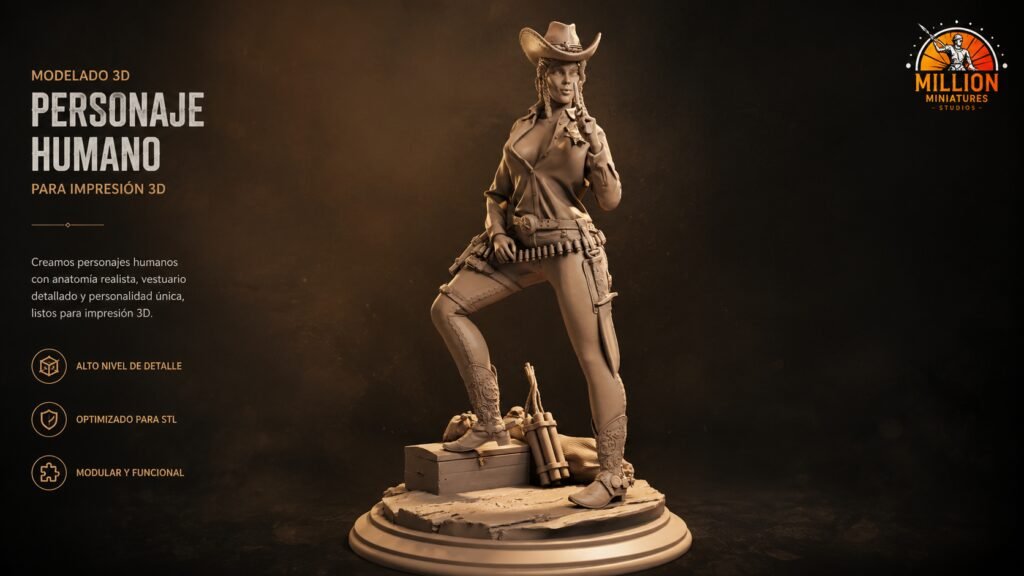
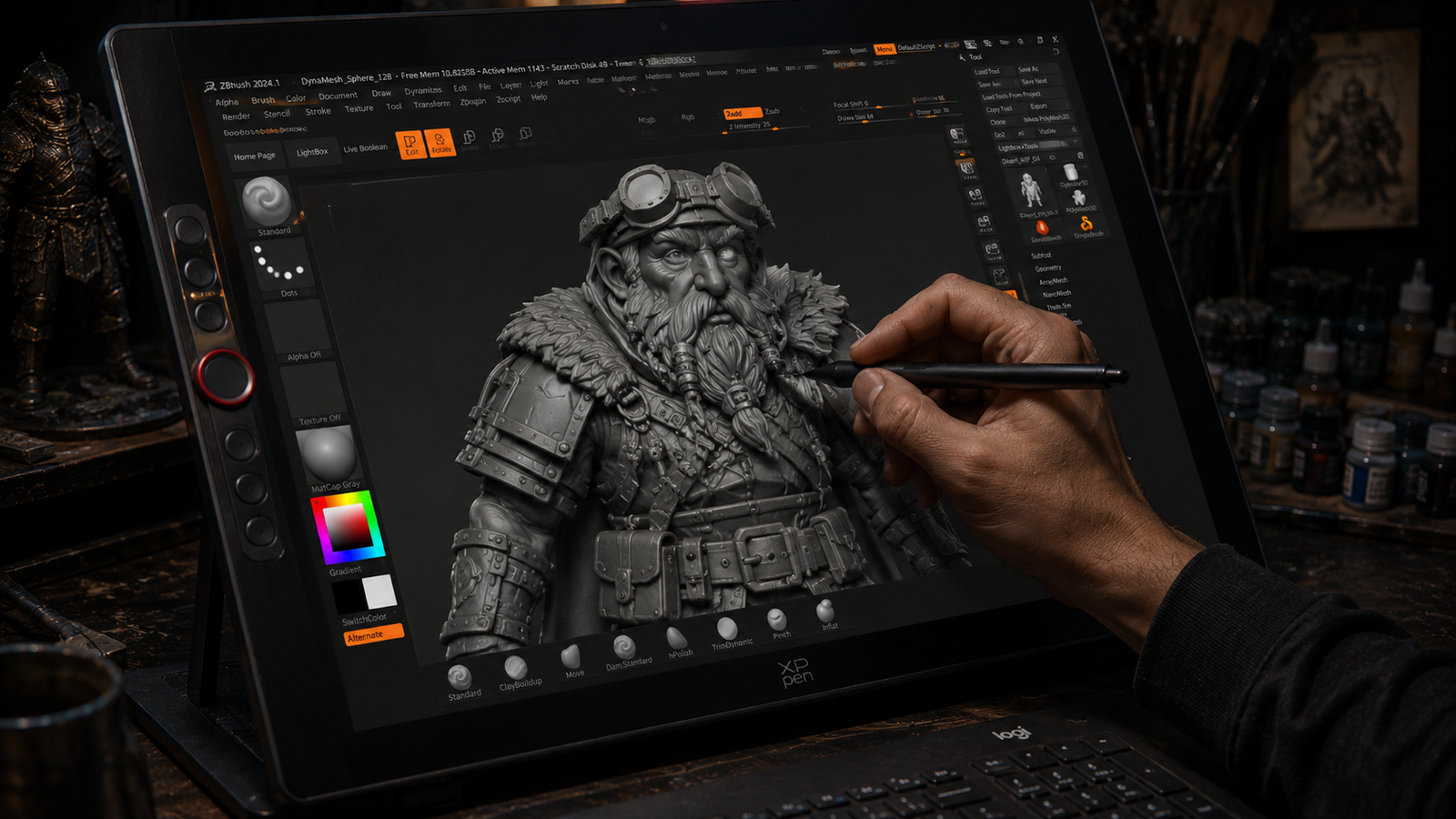
The artist works on a malleable virtual mass: pushing, stretching, smoothing and carving details with a stylus, just like a traditional sculptor. There are no rigid mathematical rules, only a feel for proportions, anatomy and aesthetics. It's the realm of characters, fantasy creatures, clothing with folds, pets and collectible miniatures.
The digital equivalent of the ruler and set square
The design is governed by exact dimensions, dimensional constraints and a history of mathematical operations. If you change one measurement, the rest of the part adjusts automatically. It's the mandatory realm of engineering, architecture and any object that has to fit with millimeter precision in the real world.
Neither branch is "better" than the other. They're tools for different problems. Trying to sculpt an expressive human face in a CAD program is as impractical as trying to design a mechanical gear by sculpting virtual clay.
What 3D modeling gets confused with (and why it's not the same)
Most of the confusion comes from grouping under one term processes that actually happen in different phases, or even in sister disciplines that almost never fully overlap.
| Confused with... | The real difference |
|---|---|
| Graphic design | Graphic design works in two dimensions (width and height) to create flat visual pieces. 3D modeling adds a third coordinate, depth, letting you rotate, scale and see the object from any angle. |
| 3D animation | Modeling builds the shape and structure (the mesh) of the object. Animation is the later phase that gives it movement over time using an internal skeleton (rigging). |
| 3D Printing | Modeling is the digital process that generates the file. 3D printing is the physical manufacturing that follows, which reads that file and builds it up layer by layer in resin or filament. |
| 3D Scanning | Modeling starts from an idea or sketch to create something that doesn't exist yet. 3D scanning is the reverse process: it captures an already existing physical object with sensors or photogrammetry and turns it into a digital mesh. |
| CAD | 3D modeling is the general concept that covers all digital volumetric creation. CAD is a specific branch within it, oriented to the parametric precision of industrial manufacturing. |
The software ecosystem: what to use depending on what you want to create
Within each of the two branches (organic and CAD) there are several programs, with very different prices and learning curves. Here's a quick map so you don't get lost:
| Software | Type | Cost | Ideal for |
|---|---|---|---|
| Blender | General-purpose organic Free | Open source, free of charge | Beginners, independent artists, anyone who wants to learn without spending money upfront |
| ZBrush | High-resolution organic | Paid subscription | Digital sculptors who want maximum detail in characters and miniatures |
| Nomad Sculpt | Organic for tablet iOS / Android | Low-cost one-time payment | Getting started with touch-based sculpting, with no computer, on a tablet with a stylus |
| Tinkercad | Entry-level CAD Free | Free, runs in the browser | Simple mechanical parts, brackets or boxes, with nothing to install |
| Fusion 360 | CAD and engineering | Commercial (limited free license for hobbyists) | More complex technical parts, functional prototypes |
| SolidWorks | Industrial CAD | Commercial, high cost | Large-scale professional engineering, not aimed at hobbyists |
If your goal is to sculpt characters, creatures or collectible figures, the branch for you is organic: Blender to start at no cost, ZBrush when you want to take detail to the highest professional level. If your goal is to design functional or technical parts, CAD is your branch, starting with Tinkercad before moving on to something like Fusion 360.
The hardware you really need
You don't need the most expensive computer on the market to get started, but it helps to know where it's worth investing when you decide to move on to more ambitious projects.
Drawing tablet
Working with a pressure-sensitive stylus instead of a mouse is the most noticeable upgrade you can make if you're going into organic sculpting: it allows nuances of stroke that are impossible to get any other way. The XP-Pen Artist Pro 16 Gen 2 has a built-in screen; the Wacom Intuos Pro Medium is the reference option without a screen.
View on AmazonAffiliate link — no extra cost to you.
Tablet glove
A small accessory you'll notice from the first day: it keeps the palm of your hand from rubbing and smudging the tablet surface while you draw or sculpt, and reduces friction for smoother strokes.
View on AmazonAffiliate link — no extra cost to you.
High-end desktop computer
Both Blender and ZBrush lean on the GPU to sculpt smoothly on meshes of millions of polygons. The PcCom Ready with 32 GB of RAM and NVIDIA RTX 4070 more than meets the rule of thumb for 3D modeling: 16-32 GB of RAM and a dedicated NVIDIA graphics card with 12 GB of VRAM (compatible with OptiX/CUDA).
View on AmazonAffiliate link — no extra cost to you.
Don't buy any of this on day one. Blender is free and runs on most computers from the last few years. Start there; invest in a tablet and GPU when you notice that the mouse or the machine's power has become a real limitation, not before.
Where 3D modeling is used beyond the screen
Before focusing on character and figure sculpting, it's worth seeing the full picture: 3D modeling is a cross-cutting discipline that underpins very different industries.
Film and video games
Digital characters, virtual stunt doubles and complete three-dimensional environments for major animation productions.
Medicine
Custom anatomical prostheses, surgical guides and personalized dental molds made from patient scans.
Architecture
Virtual models and interior renders to validate a project with the client before anything physical is built.
Jewelry
Ornamental patterns with micro-detail prepared for lost-wax casting in precious metals.
Industrial prototyping
Mechanical parts and technical components that are then validated through physical simulation before being manufactured in series.
Collectibles and figures
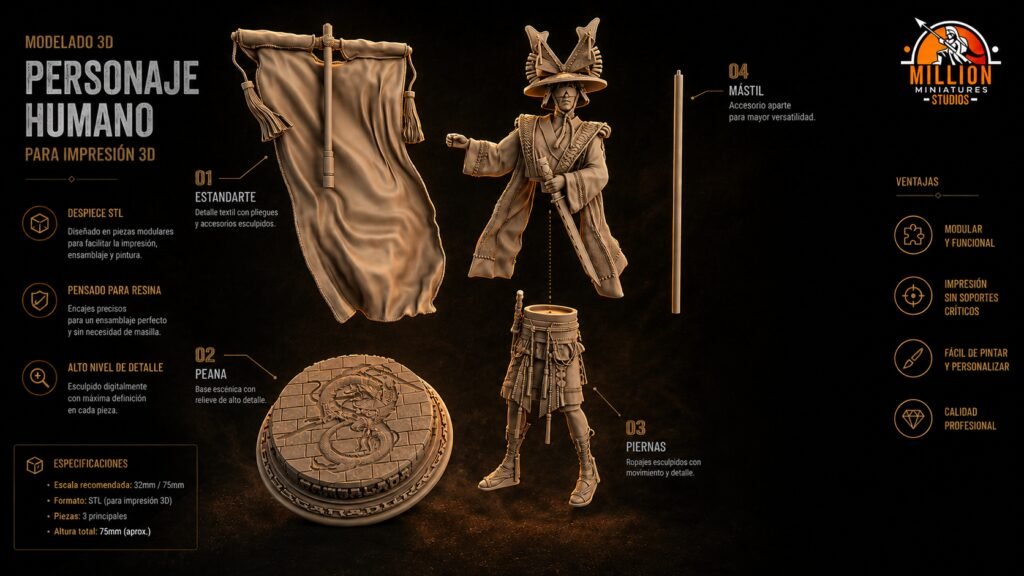
Statuettes, fantasy characters and miniatures designed to be physically printed and hand-painted.
The generic process: from idea to file
Whatever the software, the path from an idea to a finished three-dimensional object almost always follows the same logical sequence:
The idea and the reference
Sketches or photographs are gathered to define the look and proportions the object will have.
The initial blocking (blocking)
Simple geometric shapes (cubes, spheres, cylinders) are assembled to set the overall size and pose before getting into detail.
Sculpting or detail modeling
Textures, folds, anatomical features or exact dimensions are added, depending on whether you're working in the organic branch or in CAD.
Mesh optimization (retopology)
The geometry is reorganized into a clean network of polygons, lightening the file and avoiding errors before exporting it.
Texturing and export
Materials (metal, fabric, skin) are defined and the file is saved in the right format: OBJ or FBX for animation and video games, STL for 3D printing.
Want to take the step from idea to real object?
At Million Miniatures Studios we turn sketches, photos or simply an idea in your head into a hand-sculpted 3D model ready to print in resin. Tell us what you have in mind.
Online training
Choose your path to start modeling
Sculpting in ZBrush: Concept to Creature
Manu Herrador · Spanish original, English audio available
The ZBrush course in Spanish with the most students in the catalog, with direct mentions of miniatures and collectible figures.
View courseAffiliate link — the course price stays the same for you.
Blender for Beginners
Carlos Sifuentes
The no-software-cost way in: learn the basics of Blender before deciding whether it's worth moving on to paid tools.
View courseAffiliate link — the course price stays the same for you.
Intro to 3D Design and Printing
Agustín Arroyo (Flowalistik)
Closes the loop between modeling on screen and printing physically: Fusion 360 applied to real 3D printing projects.
View courseAffiliate link — the course price stays the same for you.
Introduction to 3D Photogrammetry
David Chumilla
If what interests you isn't sculpting from scratch but digitizing real objects, this is the path of 3D scanning, not modeling.
View courseAffiliate link — the course price stays the same for you.
3D modeling FAQ
Do I need to be good at drawing to learn 3D modeling?
Which free program is best to start with?
Can you do professional 3D modeling on a tablet or an iPad?
Why do people say Blender isn't as precise as SolidWorks for engineering parts?
What's the difference between exporting as STL and as OBJ?
What is the "hard surface" modeling mentioned in video games?
Is it hard to turn an artistic design into a file ready for 3D printing?
What can I design and 3D print if I learn to model?
Keep reading
Club MMS
Subscribe and get notified about new articles, collections and exclusive offers.